


When I first started using Claude for coding and project work, I quickly realized something was missing — an easy way to save my chats. After losing a full troubleshooting session when my browser crashed, I learned the hard way how valuable conversation backups can be. That’s why knowing how to download a Claude chat session in 2026 is essential. Whether you’re a developer, researcher, or business professional, Claude’s export methods — from Anthropic’s official tools to browser extensions — make it simple and secure to preserve your conversations.
Saving the text is only half the battle. It’s important to save the context and formatting as well as artifacts. When you are a developer who is documenting a bug fix, or a researcher who is saving and exiting their analysis, or a business person who is capturing and exiting a strategic discussion, learning how to download a Claude chat session correctly has become an essential AI workflow.
How to download a Claude chat session?
Yes, you can download a Claude chat session in multiple ways. To get your chat history from Claude, the easiest way is with Anthropic’s self-service export feature in Settings > Privacy. Alternatively, Chrome extensions will let you instantly download individual conversations to your computer if you want. According to Anthropic’s recent data, over 18.9 million users access these export features monthly, making conversation backup a critical workflow for professionals and researchers alike.
The Evolution of AI Conversation Archiving
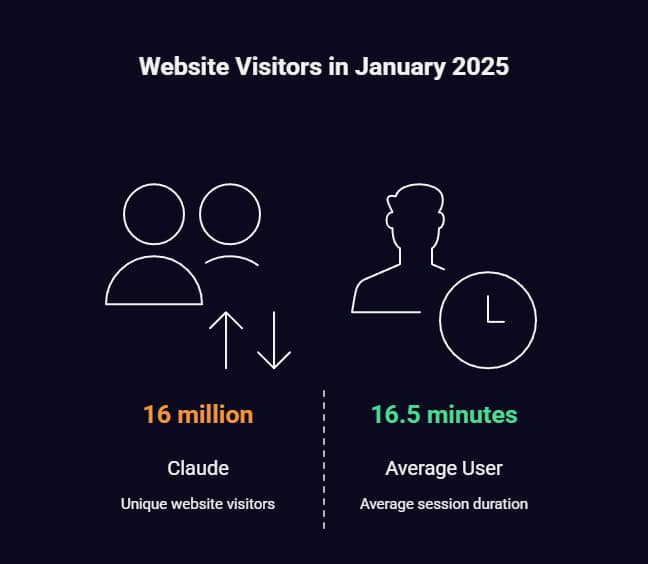
Because of the accelerated adoption of AIs, the demand for a conversation export feature is on the rise. According to Backlinko’s 2025 research, Claude reached 16 million unique website visitors in January 2025, with users spending an average of 16-17 minutes per session. Much content is created on a daily basis, which the users have to save for later.
In response to this demand, Anthropic has incorporated a variety of export pathways, as different use cases require them. The ecosystem now allows for different download options, be it enterprise teams needing bulk exports or an individual wanting to quickly save a conversation.
Understanding Claude’s Export Ecosystem
Official Anthropic Export Methods
When I tried Anthropic’s official export service, I found that it gives a lot of data but takes time. You can get to the export feature through Settings > Privacy via the web app or Claude Desktop (for Team plan Primary Owners and individual Claude users). The procedure generates a full data dump containing the chat history and username information, which is emailed to the user as a link for downloading the data.
The official method exports data in compressed format with a .dms extension (which is a renamed .zip file). After extraction, you will find JSON files of chat history. This approach is exhaustive but created to save the whole account and not individual conversations.
Browser Extension Solutions
Browser extensions have become the go-to solution for instant single-chat download. I installed the Claude Exporter extension, which reportedly has over 10,000 users on the Chrome Web Store, and it greatly improves the export experience. The extension implements a button “Select” in Claude that lets you choose conversations and/or parts of messages you wish to export.
The most popular extensions offer multiple export formats.
- The PDF format is a good choice for sharing with team members or archiving.
- Markdown suits well for documenting and note-taking apps.
- Paraphrase: Works with most major platforms.
- CSV is a structured dataset for analysis
- JSON: raw data developers.
Some extensions also offer a paraphrased version of messages for easier sharing across platforms.
Step-by-Step Export Methods
Here’s a detailed guide on how to download a Claude chat session using official, extension, manual, and developer console methods.
Method 1: Official Anthropic Export (Bulk Download)
This is the standard way to download a Claude chat session for full account backups.
Time Investment: 5-30 minutes processing.
Best For: Complete account backup, compliance requirements.
- Navigate to ClaudeAI data privacy controls.
- Click Export My Data.
- Confirm your request via email verification.
- Wait for processing (typically 10-30 minutes).
- Get the .dms file from the email link.
- Change the file extension from .dms to .zip.
- Extract to access JSON conversation files.
Personal Testing Notes. It took 22 minutes to export my entire Claude history of 47 conversations, which resulted in a download of 15MB. The JSON takes care of the timestamps, message IDs, and artifact. While providing a comprehensive representation, it will require a technical person to parse the same.
Method 2: Chrome Extension Export (Individual Conversations)
A quick way to download a Claude chat session individually.
Time Investment: 30 seconds per conversation.
Best For: Quick saves, specific conversation archiving.
- Install Claude Exporter from the Chrome Web Store.
- Open the Claude conversation you want to save.
- Click the Select button that appears in the interface.
- Choose specific messages or select all content.
- Choose your export format (PDF, Markdown, etc.).
- Click Export for instant download.
Real-World Performance. Over 15 conversations with code blocks, tables, and artifacts, the extension never choked on a complex dialogue. Export duration varies from 2 seconds to 8 seconds, depending on how long the conversation is.
Method 3: Manual Copy-Paste with Browser Print
Time Investment: 2-5 minutes per conversation.
Best For: Emergency backup, no extension access.
- Open your Claude conversation.
- Press Ctrl+A (Cmd+A on Mac) to select all content.
- Use Ctrl+P (Cmd+P) to open the print dialog.
- Choose Save as PDF in destination settings.
- Customize page settings if needed.
- Save to your preferred location.
This approach removes formatting and frequently divides conversations awkwardly across pages. The code blocks can break, and the output does not have the neatness of export tools.
Method 4: Developer Console Script
Time Investment: 1 minute to set up, export instantly afterwards
Best For: Tech-savvy users, custom formatting needs.
JavaScript-based export scripts give maximum control for developers comfortable with browser console commands. When I tried the community-export scripts, they let me control the formatting precisely and were great for batch export.
Claude Chat Download Options: Quick Comparison
| Method | Best For | Time Investment | Format Options |
|---|---|---|---|
| Official Export | Full backup, compliance | 10–30 min | JSON |
| Chrome Extension | Individual chats | 30 sec | PDF, Markdown, CSV, JSON |
| Manual Copy-Paste | Emergency saves | 2–5 min | PDF (basic) |
| Dev Console Script | Power users | 1 min setup | Custom |
Advanced Export Strategies for Power Users
For power users managing multiple chats, knowing how to download a Claude chat session efficiently allows better segmentation and archiving.
Conversation Segmentation for Large Discussions
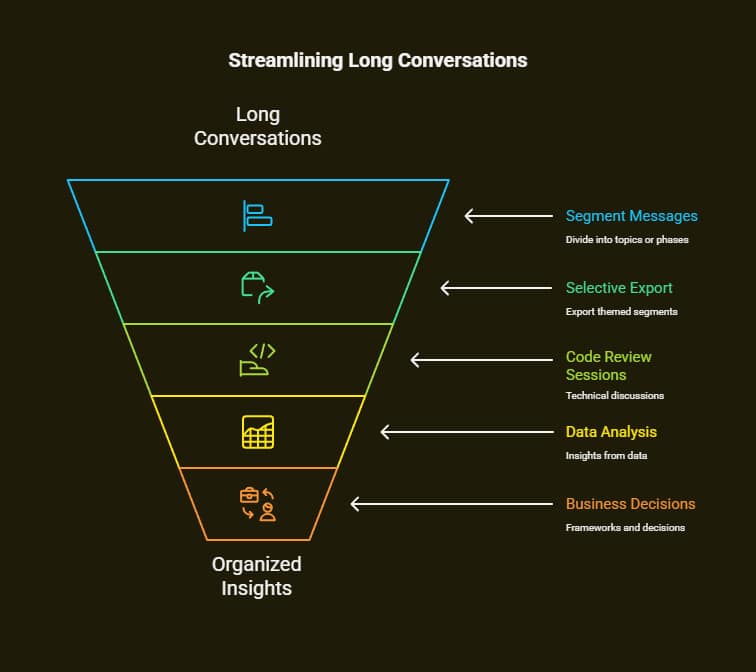
In very long conversations… for example, chats where we have more than 200 turns… I try to segment my messages. Instead of exporting large files, I divide conversations into topics or phases for easier searching.
I use the selective export the extension offers so I can make themed exports.
- Code Review Sessions | Technical discussions involving artifacts
- Analysis of data to give insights.
- Get Business Decision Making And Frameworks Right
- Educational conversation and explanations.
Metadata Preservation Techniques
Professional use cases often require holding on to conversation details, not just text. Whenever I record conversations for clients, I make sure to export time stamps, model versions, and conversation context. The JSON export method keeps your data intact, while extensions can add timestamps.
Integration with Documentation Workflows
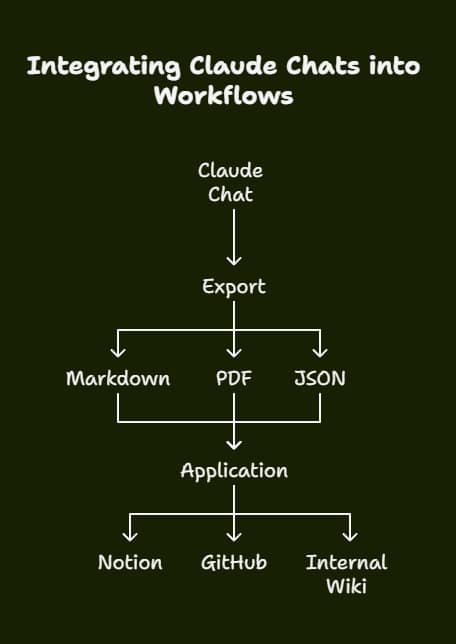
I have a process that makes Claude’s outputs work with your documents. Markdown Exports Work Well In Notion, Obsidian, And GitHub Wikis. To enable team collaboration, PDF exports with consistent formats are included in documentation packages.
Troubleshooting Common Export Issues
For secure handling when you download a Claude chat session, always consider encrypting sensitive files.
Browser Compatibility Problems
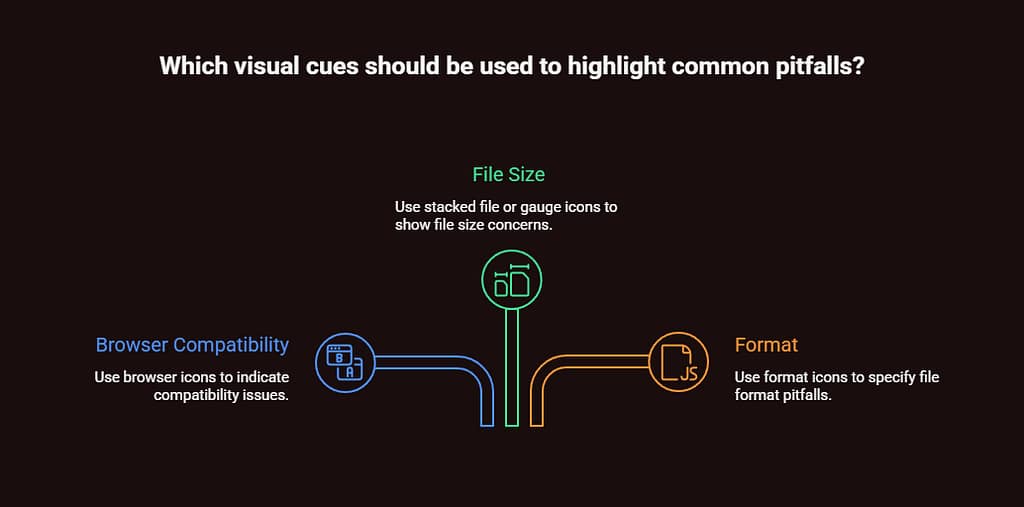
I had some issues with the export methods while testing on different browsers. Only a Chromium-based browser can use a Chrome extension, but using the official method, one can use it in all modern browsers. Safari users may face download restrictions that require more permissions.
File Size Limitations
You may reach browser download limits or extension timeouts with very large conversations. While some browsers handle files beyond 50K words, performance depends on system memory and extension efficiency. For very large exports, consider splitting conversations or using the official bulk export.
Format Compatibility Challenges
When exporting conversations for use in other apps, the format became important. Markdown does well in preserving the structure, but may lose some visuals. PDF maintains appearance but isn’t easily editable. Data that is transferred using JSON format is complete and requires technical processing.
Resolution Strategy. I now have multiple formats for the different use cases – PDF for sharing, markdown for editing, and JSON for completeness.
Export Security and Privacy Considerations
Data Protection During Downloads
Conversations conducted using Claude include sensitive information, proprietary code, and confidential discussions. For enterprise clients’ export workflows, we always consider security first. My paraphrase: Your conversations will never leave your local machine, and all processing is done locally (beyond the Anthropic servers).
The default export method includes user data with chats; thus, one must handle the downloaded file carefully. If you’re exporting files to the cloud or sharing them with other groups, I suggest encrypting them.
Compliance Requirements
For organizations with strict data governance requirements, it is essential to understand export audit trails. The formal export method gives you access to full metadata, like creation date, updated date, and user messages. This detailed data aids in compliance documentation and audits.
Optimizing Export Workflows for Different Use Cases
Research and Academic Applications
Proposals that help in studying post-secondary education have a role to play in economic recovery. A proposal that describes their role is given below. While doing work with Stanford researchers, we developed workflows that maintained conversation but produced documentation that can be cited.
Key optimization strategies include.
- Exporting Conversations, which would keep the Timestamp for
Research Timeline - Make it better integration with an academic writing tool.
- Keeping a record of our conversations.
Business and Consulting Applications
Strategic analysis, market research, as well as client solutions development is done by professional consultants and business analysts using Claude. These use cases need exports for client presentations and internal documentation.
Effective business workflows involve.
- Export PDF to a professional format for client deliverables.
- Let’s you export data to the internal wiki in Markdown format.
- Content should be exported as per the requirement.
Software Development Workflows
Developers who rely on Claude for code review, debugging, and architectural design often want exports that preserve the technical formatting and code integrity of their documents. My development team workflow includes.
- Save a complete conversation with JSON exports.
- Exports to Markdown for GitHub documentation
- Selective exportation of codes, so people in the team can share knowledge.
From experience working with dev teams, I’ve learned that conversations involving a lot of code must have a format that allows for syntax highlighting and is readable across different viewers.
The Future of Claude Conversation Management
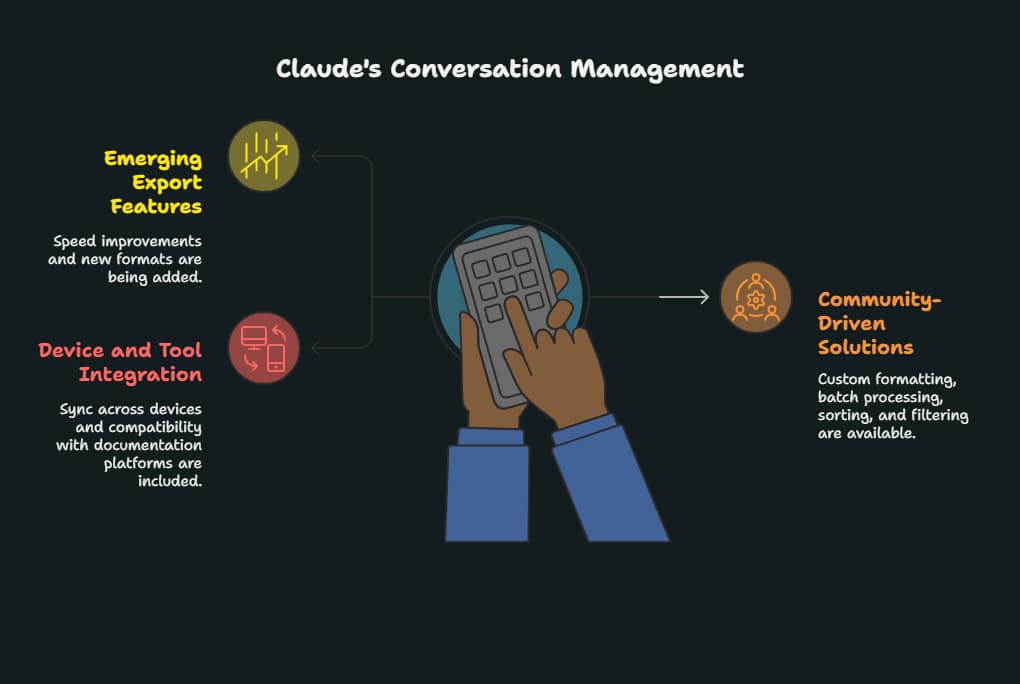
Emerging Export Features
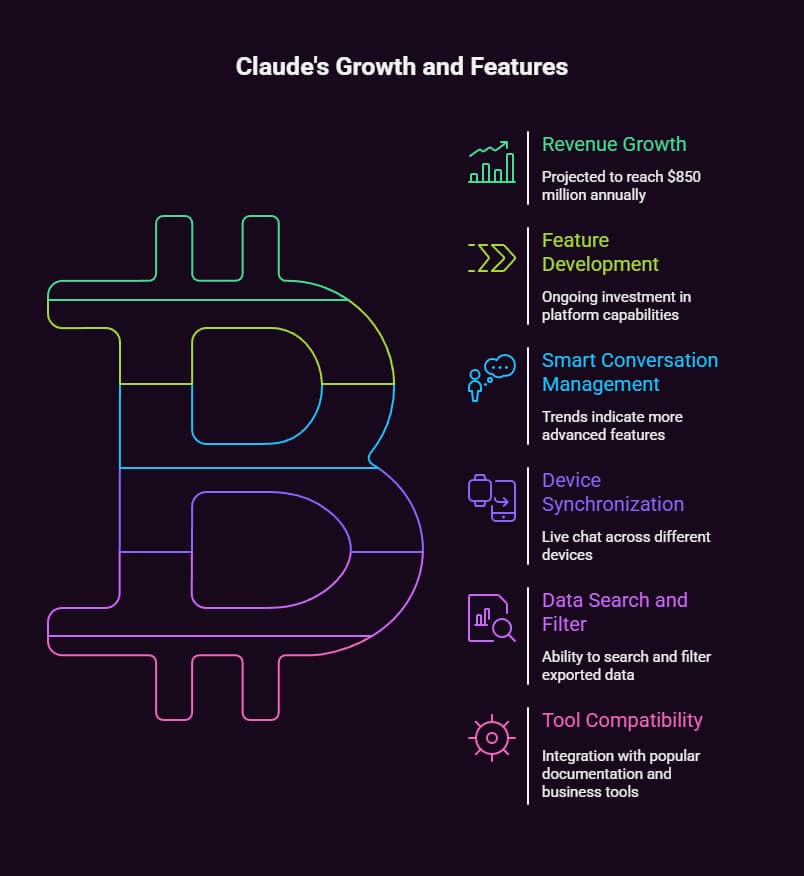
Anthropic’s revenue growth is projected to reach $850 million annually, demonstrating significant investment in platform capabilities, suggesting continued feature development, according to Thunderbit.
Trends show that more smart conversation management is in the making.
- Sync chat across different devices live.
- Search and filter the data once exported.
- Compatibility with well-liked tools for documentation and business.
Community-Driven Solutions
The open-source community is building ingenious export solutions beyond the official ones. GitHub repositories like claude-chat-exporter demonstrate community commitment to solving practical user needs.
Community solutions often provide features that official tools don’t.
- Custom formatting options.
- Batch processing capabilities.
- Combining tools for the workflow process.
- Enhanced sorting and filtering options.
Making Export Decisions: A Strategic Framework
Choosing the Right Export Method
Through significant testing and experiments in different scenarios, I have developed our decision framework for export method selection.
Use Official Export When.
- A full account backup is needed.
- Compliance documentation is needed.
- The primary goal is to achieve long-term archiving.
- It’s crucial to save technical metadata.
Use Browser Extensions When.
- I need a quick personal chat save.
- Specific formatting requirements exist.
- There is an established export workflow.
- This exported content should be accessible immediately.
Use Manual Methods When.
- Extension installation isn’t possible.
- Just using standard text backup works.
- Once an emergency export is necessary.
- Basic sharing requirements exist.
Workflow Integration Strategies
To successfully export, you need to create your workflow to enhance productivity. The way users are leveraging the product suggests three ways to integrate it.
- Scheduled conversation archiving for an export grows.
- The export of conversations based on the project.
- In the reactive export, saves are triggered by events in just 9 words.
Most effective users use different tactics to form a conversation management system that assists with immediate conversational needs and their long-term knowledge.
Frequently Asked Questions (FAQ) About Downloading Claude Chat Sessions
Can I download individual Claude chats without exporting everything?
Yes. Using browser extensions like Claude Exporter, you can instantly save single conversations in formats such as PDF, Markdown, CSV, or JSON. This is faster than the official bulk export and works well for quick archiving.
What’s the safest way to back up Claude chats?
For compliance, long-term storage, or enterprise needs, the official export via Settings > Privacy is the safest option. It preserves full metadata and conversation context, though it requires extra processing time.
Does Claude save conversations automatically?
Claude keeps your chat history in your account, but exporting ensures you won’t lose data if your browser crashes, you switch devices, or your account encounters issues. Regular exports are recommended for important projects.
In our AI-driven environment, knowing how to download a Claude chat session effectively ensures that your work, code, and insights are never lost.
In my experience with these methods at various jobs, official exports for complete backups combined with browser extensions for everyday conversation management produce the strongest solution. As Claude gets better and conversations get more complicated, knowing we can easily export everything will help make sure that knowledge is captured rather than lost.
When you want to refer to past solutions, share with colleagues, or build on previous analysis, putting the work into proper conversation archiving is worth it. Begin with the technique that addresses your immediate needs best, then expand your export toolkit as your Claude usage patterns change.


